Kaiju Universe Controls Guide
Master every key binding: WASD, Shift flight, Q/E vertical movement, Ctrl lock, and combat basics.
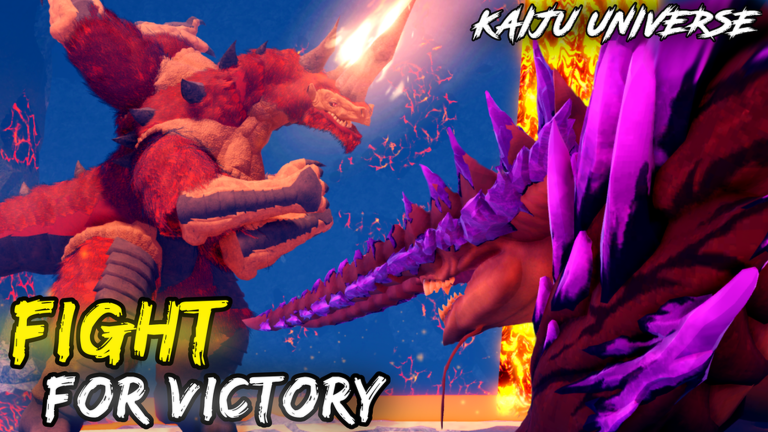
Knowing your controls is the difference between a clean disengage and a wasted respawn timer in Kaiju Universe. This page covers every key binding you will use across all kaiju types - ground bruisers, aerial hunters, and water specialists. Learn these before you commit G-Cells to any unlock.
Cross-read Getting Started, Best Starter Kaiju, PvP Combat, and Maps and Cities before your first real session.
Universal movement keys
Every kaiju in Kaiju Universe shares the same movement skeleton:
- W / A / S / D - directional movement on ground and in water. W is forward, S is backward, A/D strafe left and right. These work identically whether you are on land or swimming.
- Shift - activates flight for aerial kaiju. Hold to gain altitude and cross map distances faster. Release to descend. Flying kaiju like Strykarech and Reisserax use this as a core mobility tool. Ground kaiju cannot fly regardless of Shift state.
- Q and E - vertical movement for water and aerial contexts. Q ascends, E descends. These are essential for coastal navigation, underwater exploration in Costa Sierpe, and managing altitude as a flying kaiju. Practice Q/E transitions before entering contested water zones.
- Ctrl - toggles control lock. When active, your kaiju holds its current facing direction even if you move. This is critical for hammer-style kaiju like Dredger who need a committed facing during wind-up animations. Releasing Ctrl lets you reorient freely.
Combat keys
- 1 through 5 - ability bar. Each kaiju has up to five abilities mapped to these keys. Abilities have individual cooldowns displayed on the ability icon. Learn the prompt timing for each ability before entering PvP zones.
- Left Mouse Button - basic attack. Repeatedly pressing deals a rapid combo string. Most kaiju have a 1-5 string that clears structures efficiently. Time basic attacks between ability cooldowns for maximum destruction output.
- Right Mouse Button - heavy attack or secondary ability depending on kaiju. Check your specific kaiju’s ability bar. Some kaiju use this for movement-based attacks (lunges, charges) that double as repositioning tools.
- Space - jump. Used for dodging, gaining temporary height advantage, and crossing small gaps. Not all kaiju have the same jump arc - larger kaiju tend to have slower, higher jumps while smaller ones are snappier.
Camera and interface
- Mouse - controls camera orbit around your kaiju. Scroll wheel zooms in and out. A well-positioned camera gives early warning on flanking approaches.
- Tab - toggles the mission and objectives panel. Always open missions before traveling between islands.
- M - opens the full map. Use this to plan routes between islands and mark dense farming pockets.
- Esc - pauses and opens the in-game menu. Use this to adjust settings, check your roster, or switch kaiju at a safe location.
Kaiju-type specific notes
Aerial kaiju (Strykarech, Reisserax)
Shift is your primary tool, not a modifier. Hold Shift to maintain altitude and use Q/E to adjust vertical position while flying. You can cross between islands without touching water - use altitude to bypass contested coastal zones entirely. In combat, use altitude as a weapon: dive from above for burst, then climb back out of ground-level threat range.
Water kaiju (Zaratan, Aglacius, Lorgath)
Q/E are as fundamental as WASD for you. Practice vertical water navigation until Q/E feels as automatic as strafing. In coastal zones, use depth changes to dodge attacks - going deeper forces ground kaiju to follow or lose the fight. Never fight extended engagements in shallow water where aerial kaiju can divebomb you freely.
Ground bruisers (Kumora, Carnabas, Dredger)
Ctrl discipline is critical for your kit. Practice control lock timing: engage Ctrl before committing a heavy attack, release only when the cooldown window confirms the follow-through is safe. Your movement is slower but your presence is a zone of denial - use positioning to make chasing you costly.
Control settings to check
Before your first session:
- Confirm mouse sensitivity is comfortable for camera orbit. Scroll zoom speed matters too - some players prefer tighter zoom for close-range fights.
- Check keybind customization in Settings if you want to remap Q/E or Ctrl to something more ergonomic for your hand size.
- Verify that ability icons show cooldown timers visibly - some players increase UI scale to catch cooldown windows faster.
- Enable damage numbers if they help you read burst windows, or disable them if they clutter your screen during dense Tokyo fights.
Common control mistakes
- Holding Shift as a ground kaiju expecting to fly - you cannot. Use Shift only on aerial types.
- Forgetting Q/E when entering water - you will sink to the bottom and lose camera visibility.
- Releasing Ctrl mid-ability wind-up on Dredger or similar - the attack whiffs and the cooldown still ticks.
- Not opening missions before island travel - you arrive without objectives and waste time reacquiring tasks.
- Fighting in Tokyo with default camera zoom - tighten zoom for close-range reaction time.
Practice routine
- Spend five minutes in Prometia just moving: WASD in all directions, Shift altitude on aerial kaiju, Q/E underwater on water kaiju.
- Practice Ctrl-toggle discipline: activate Ctrl, move, release Ctrl, reorient. Repeat ten times.
- Run a single ability combo on a building: press each key 1-5 in sequence, note the rhythm, repeat until it is muscle memory.
- Enter Costa Sierpe and practice vertical water navigation for three uninterrupted minutes.
- Attempt one full island crossing using only Shift and Q/E without touching ground.
Master these bindings before you enter Tokyo or commit G-Cells to any unlock - control fluency is the foundation every other skill builds on.
Frequently Asked Questions
Quick answers for Kaiju Universe players.
What does Shift do in Kaiju Universe?
Shift activates flight for aerial kaiju like Strykarech and Reisserax. Ground and water kaiju cannot fly regardless of Shift state.
What are Q and E keys used for?
Q ascends and E descends in water or aerial contexts. They are essential for coastal navigation, underwater exploration, and managing altitude as a flying kaiju.
What does Ctrl do?
Ctrl toggles control lock, which holds your kaiju's facing direction even while moving. This is critical for kaiju like Dredger who need committed facing during heavy attack wind-ups.
How do I use the ability bar (1-5)?
Each kaiju has up to five abilities mapped to keys 1 through 5. Abilities have individual cooldowns shown on the icon. Most kaiju have a 1-5 combo string for efficient structure destruction.
Can water kaiju fly?
No. Water kaiju like Zaratan, Aglacius, and Lorgath use Q/E for vertical water movement but cannot use Shift to fly. They are strongest in water zones and coastal areas.